Action / Team tactical shooter
TWINFRONT Twin-army frontHow to play
Choose by goal
Free guest play, no sign-up needed / Touch controls on phones and tablets, keyboard and mouse on PC.
FIRST MISSION
Start by trying it with an AI squad.
Enter a War Room from "Sortie with an AI squad" and check your character, weapons, and who has joined. If you're unsure, start with the Balance type and the standard gear.
- Check the loadout
Check your trooper, allied AI, and the frontline commander. You can change gear until you move on to prep.
- Set your formation
Place rock walls and ammo depots in your camp. Use the ready button at the top of the screen to finish or undo.
- Shoot from cover
Left-click to shoot. Use the cover of your own buildings and wear down the enemy base's durability gauge.
- Check your record
After the match, check the result and your evaluation. Even if you lose, you can change your gear or formation and try again.
This path teaches the controls through real AI matches. Pass/fail checks for each task and a story mode are planned for future updates.
Basic controls
Movement and aiming are independent. Your team always attacks from the bottom of the screen toward the top.
| WASD | Move forward, back, left, and right. Hold for normal movement. |
| A×2 / D×2 | Cartwheel left / right. Press twice quickly. |
| W×2 / S×2 | Forward dash / backstep. |
| Shift + move | Walk, and fine-tune your position at the edge of cover. |
| Mouse / left-click | Move your aim / shoot. |
| Right-click | Brace. Slows your movement and steadies your shots. |
| Space | Jump. Use it for ledges and terrain. |
| E | Get in or out of a nearby vehicle, climb a watchtower, or resupply at an ammo depot. Near a broken bridge, repair it in 4 seconds (10 morale). Moving, shooting, or taking a hit interrupts it. |
| Z / X / C / V | Cartwheel Barrage / Prayer Pyramid / Air Strike Squadron / Charge. If you don't have enough members, a 15-second rally is called. Human teammates join by bracing. Once enough members and morale are gathered, the squad lines up and unleashes it. |
| Enter | Team strategy chat. Movement and shooting stop while you type. |
| Esc | Release mouse lock and full screen to use the menu. |
Controls for reloading, switching weapons, grenades, and more can be checked and changed in "Control settings" at the top right of the sortie screen. If you change the movement keys, double-press those keys to dodge.
Loadout and formation
Choose gear by weight
Each type has a different load capacity, and the more you carry, the slower you move. Heavy gear to hold the front, or light gear to take the flank? Decide based on your objective.
Choose the frontline commander
The commander is chosen by volunteering or nomination. Ties are decided by rating. By default the commander places the formation, but you can change the settings so that everyone can place it.
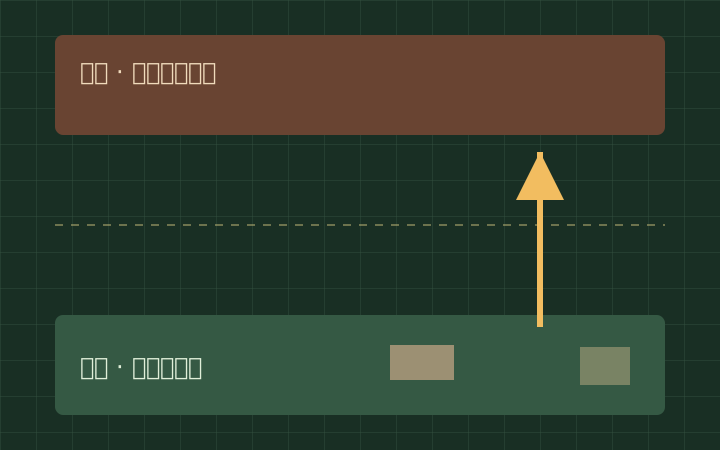
Prep time is 1 minute by default. You redo the formation before each round. The same team chat is available throughout loadout, prep, and battle.
Winning and rules
Siege
Bring the enemy base's durability to 0. When breakthrough victory is enabled, capturing the flag deep in enemy territory also decides the match.
Annihilation
The match ends when one side is wiped out. Even with respawns on, a side loses the moment all its members are down.
Breakthrough
Capture the goal flag deep in enemy territory by touching it with your character on foot. It doesn't count while you're in a vehicle.
The default is 3 minutes, 1 round. If you choose 3 rounds, the first to win 2 takes the match. Facilities, vehicles, and morale reset every round.
After time runs out, attacks already fired are processed for up to 5 seconds. The result is judged by a score weighting destruction, kills, and advance. A tie, a simultaneous win, or no player with 2 wins after 3 rounds is a draw.
In Siege and Breakthrough, when timed respawns are on, a wiped-out side waits to respawn. With respawns off, being wiped out is a loss. Your own buildings aren't destroyed by friendly attacks, and damage to friendly soldiers and vehicles is on by default. Jumps and cartwheels have no invincibility, and you take damage from your own explosions.
To stop during prep, use "Decline / Leave." If you step away or disconnect during battle, AI takes over, and an operation ends when everyone has left.
On to your first match.
Choose by goal
Free guest play, no sign-up needed / Touch controls on phones and tablets, keyboard and mouse on PC.